

TECH TOOLBELT
SEPTEMBER 2026
Back Up Before It Breaks: Protecting What Matters Before You Need It
September Theme: National Preparedness Month
We prepare for storms, power outages, equipment breakdowns, and other emergencies because being prepared is better than trying to recover after something goes wrong. Your digital life deserves the same approach. Phones, tablets, computers, and other devices can fail, get lost, become damaged, or fall victim to malware without warning. When that happens, a backup can be the difference between a minor inconvenience and losing important photos, documents, and information for good. This September, take a few minutes to make sure your important data has a safe place to go if your device doesn’t.
Back Up Your Devices
Don’t wait until a device fails to discover that your important files weren’t saved anywhere else:

- Back up important data regularly: Photos, contacts, documents, and other important files should exist somewhere besides your device.
- Turn on automatic backups: Whenever possible, use your device’s built-in backup features so your data is protected without having to remember to do it manually.
- Don’t rely on one device: If your phone, laptop, or tablet is lost or damaged, information stored only on that device may be gone.
- Check that backups are actually working: A backup is only useful if the data can be recovered when you need it.
Use Secure Cloud Storage
Cloud storage can provide an extra layer of protection and make important files available when you need them:
- Use approved storage for company files: Work-related documents should be saved in Curry Construction’s approved server folders and other authorized storage locations—not personal cloud accounts.
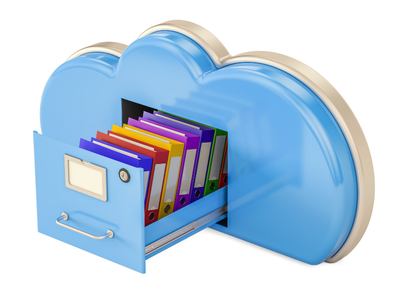
- Keep personal files in a trusted cloud service: Services such as iCloud, Google Drive, or OneDrive can automatically back up or synchronize important personal information.
- Protect your cloud account: Use a strong, unique password and enable two-factor authentication whenever available.
- Don’t assume everything is automatically backed up: Syncing a file between devices is not always the same as having a separate backup. Know what your service protects and how recovery works.
Know How to Restore Your Data
A backup doesn’t do much good if you don’t know how to use it:

- Know where your backups are stored: Make sure you can access your backup account or storage location when needed.
- Learn your device’s recovery options: Phones, tablets, and computers typically provide tools for restoring information from a previous backup.
- Keep important files organized: A logical folder structure makes it easier to find and recover what you actually need.
- Don’t wait for an emergency: Take a few minutes now to confirm your backups are current and accessible.
Quick Builder’s Backup Checklist

- Back up important photos, documents, contacts, and other data
- Turn on automatic backups when available
- Store work files in approved Curry Construction locations
- Protect cloud accounts with strong passwords and two-factor authentication
- Confirm that backups are current and can be restored
Bottom line: Preparedness isn’t just about having a plan—it’s about taking action before you need it. A broken, lost, or stolen device can happen without warning, but losing your data doesn’t have to. Back up your important information, use approved and secure storage, and know how to recover your files. Back it up before it breaks..
DATE POSTED
POSTED BY