

TECH TOOLBELT
MAY 2026
Inbox Under Attack: Phishing & Junk Emails
Our May Theme: Stay Sharp – Spot the Red Flags
Just like on the jobsite, losing focus for a moment can lead to bigger problems. Your inbox is no different. Phishing emails and junk messages are one of the most common ways scammers try to get access to company systems and personal information. They’re designed to look legitimate, create urgency, and get you to click before you think. Staying sharp and recognizing the warning signs is the best way to protect yourself and the company.
Spot the Red Flags in Phishing Emails
Most phishing attempts follow the same playbook:
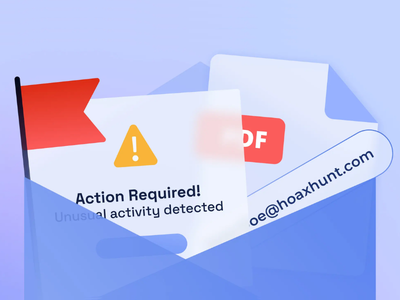
- Check the sender’s address carefully: Look for misspellings or incorrect domains (example: @company.co instead of @company.com).
- Watch for urgent language: Messages claiming “act now,” “account suspended,” or “payment required immediately” are meant to pressure you.
- Look closely at links: Hover over them to see where they really go—if it doesn’t match the sender, don’t click.
- Be wary of unexpected attachments: Especially invoices, documents, or “secure files” you weren’t expecting.
Handle Junk and Spam the Right Way
Not every unwanted email is dangerous—but it still needs to be handled properly:
- Don’t engage: Never reply or click “unsubscribe” on suspicious emails.
- Mark as Junk/Spam: This helps filter similar messages in the future.
- Delete it: If it’s clearly not legitimate, get rid of it.
- Keep your inbox clean: Reducing clutter makes it easier to spot real issues.
Report Suspicious Emails Without Clicking
When something doesn’t look right, take the safe route:
- Do not click links or open attachments in questionable emails.
- Report it to IT: Take a picture or screenshot of the suspicious message and send it to the IT team for review. DO NOT forward suspicious messages.
- Verify through trusted channels: If it looks like it’s from a coworker, vendor, or customer, contact them directly using known information. Ideally by calling them.
- When in doubt, verify: It’s better to double-check than deal with security issues later.
Quick Builder’s Scam Awareness Checklist
- Question urgent or unexpected messages
- Avoid clicking unknown links or attachments
- Verify sources, or access through known channels
- Never share personal or financial information without confirming legitimacy
- Double-check sender email addresses
- Report phishing attempts to IT
- Don’t respond to suspicious messages
Bottom line: Phishing emails reply on one thing—getting you to act without thinking. Stay disciplined, follow the same awareness you use on the jobsite, and don’t take shortcuts. A few extra seconds of caution can prevent serious problems for you and the entire company.
DATE POSTED
POSTED BY
CATEGORY